
Install it, connect it with your API key, and turn a product photo into a complete, SEO-optimized Etsy listing in seconds.
This is the complete setup and usage guide for the ListsGenie Chrome extension: how to install it, connect it to your account with your API key, and generate your first Etsy listing — step by step.

| Browser | Google Chrome, Microsoft Edge or Brave (any Chromium browser) |
| Account | A ListsGenie account for full use — or start with 1 free listing, no sign-up |
| Time | About 2 minutes to install and connect |
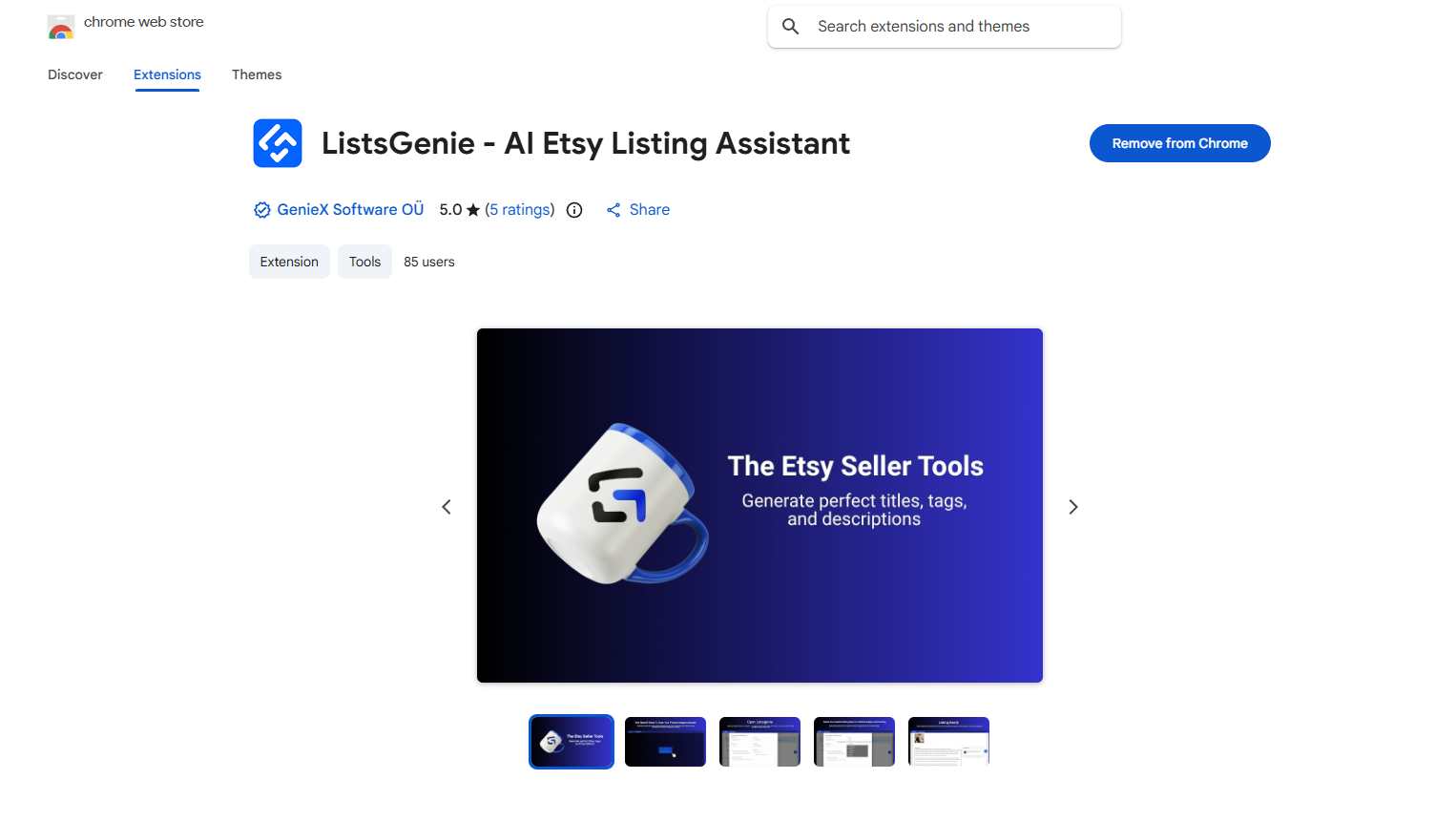
Go to the Chrome Web Store, search for ListsGenie (or open the ListsGenie install link), then click Add to Chrome → Add extension. It installs in a few seconds — no configuration needed.
Click the puzzle-piece Extensions button in your browser toolbar and pin ListsGenie so it's always visible. Then click the ListsGenie icon — it opens the side panel where you'll work.
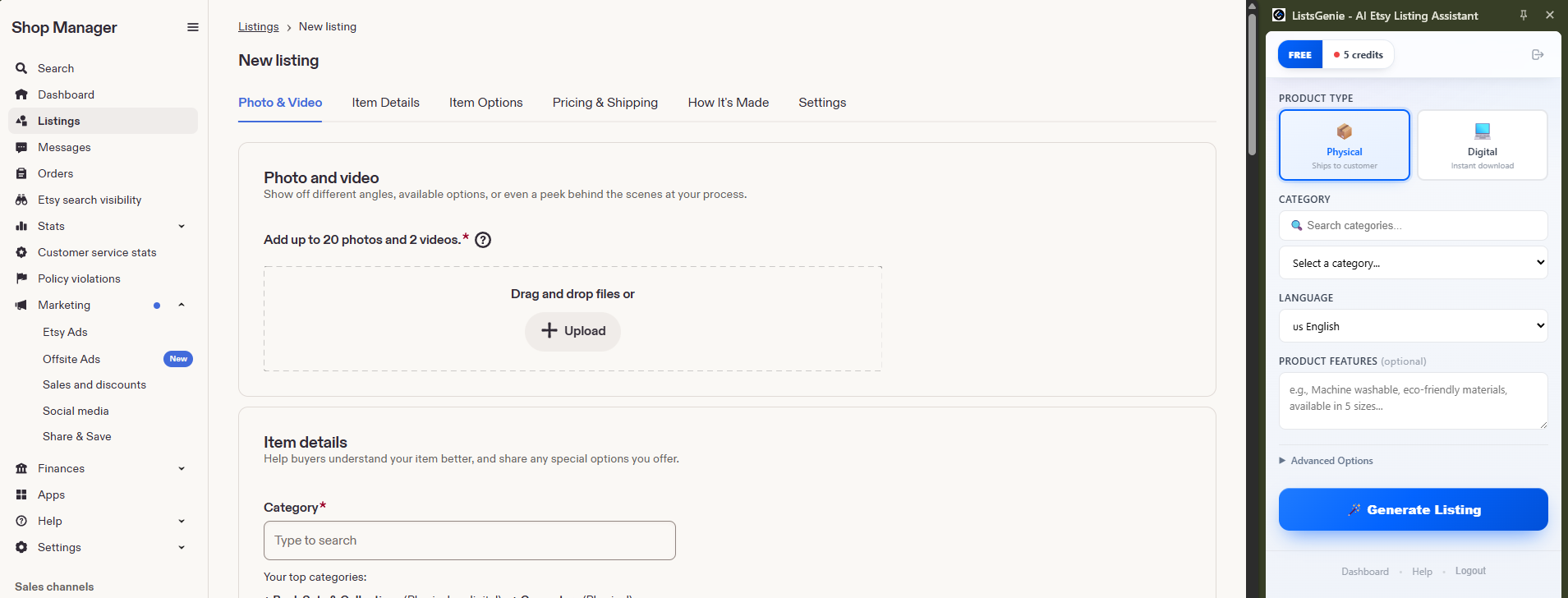
You have two ways to start. To just try it once, choose Option A. To use your plan's credits and all your languages, connect with your API key (Option B).
In the side panel, click Get Started Free. This gives you 1 free listing with no sign-up so you can see how it works before creating an account.
Create a free account (or log in) at listsgenie.com/dashboard. On the dashboard you'll see a "Your API Key" box — click Copy to copy your key. (Keep it private: anyone with your key can use your credits.)
Back in the side panel, click "I already have an API key", paste your key into the API Key field, and click Connect. The panel now shows your plan and remaining credits — you're ready to generate.
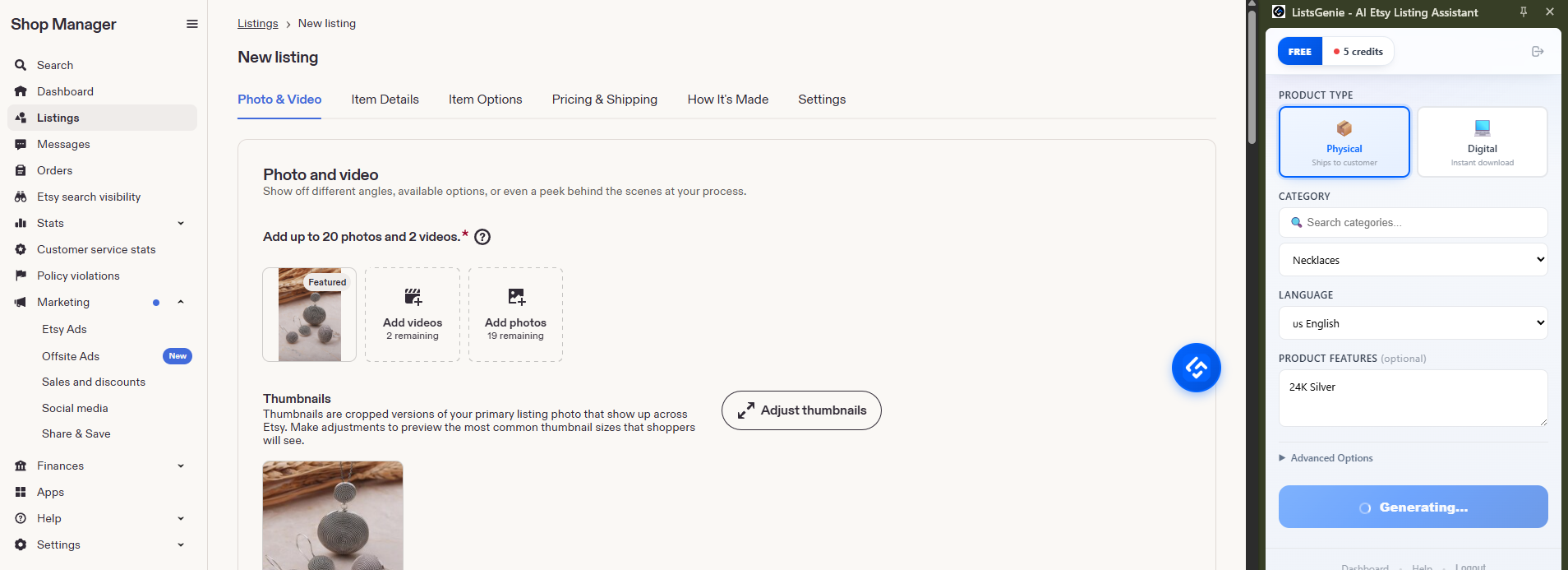
Open your product's Etsy listing editor (or the page with your product photo) in the same tab, then open the ListsGenie side panel next to it.
Choose Product Type (physical or digital), search and select your Category, and add a few keywords / product features (e.g. "machine washable, eco-friendly, 5 sizes"). Pick a Template style (SEO, Storytelling, Friendly, Professional, Playful, Minimalist, Luxury or Casual) and the output language.
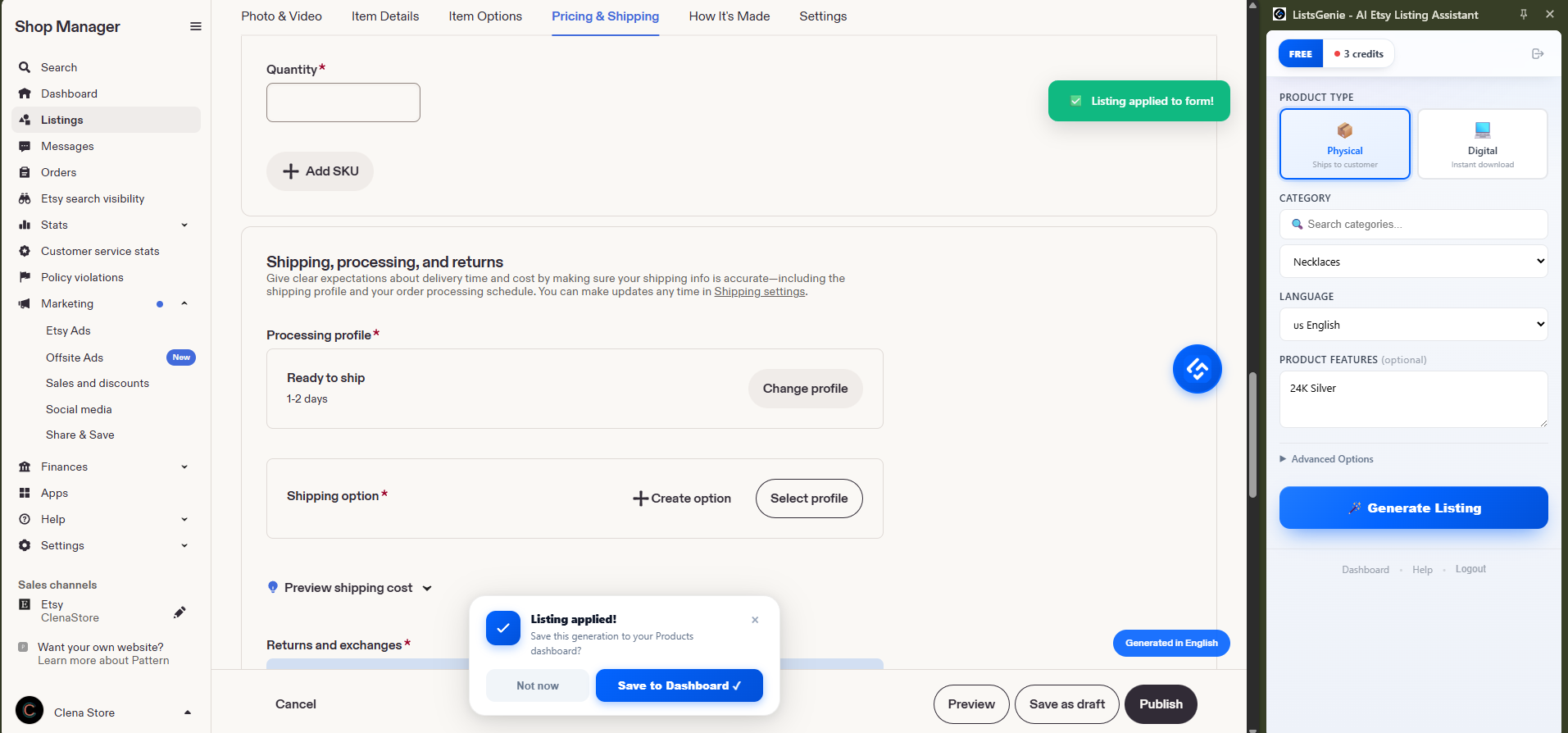
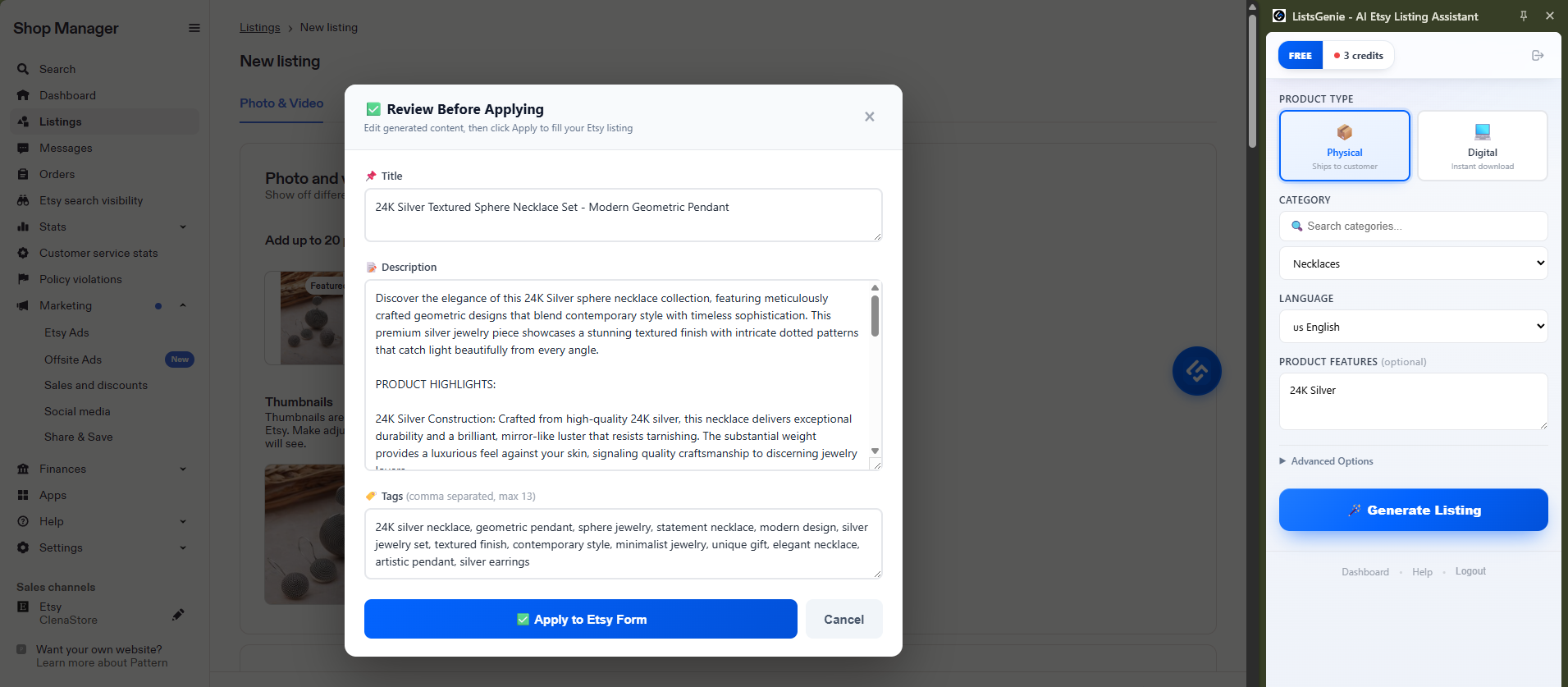
Press Generate. ListsGenie reads your product image and returns a title (up to 140 characters), all 13 tags, and a description. Each generation uses 2 credits; the panel shows your remaining balance.
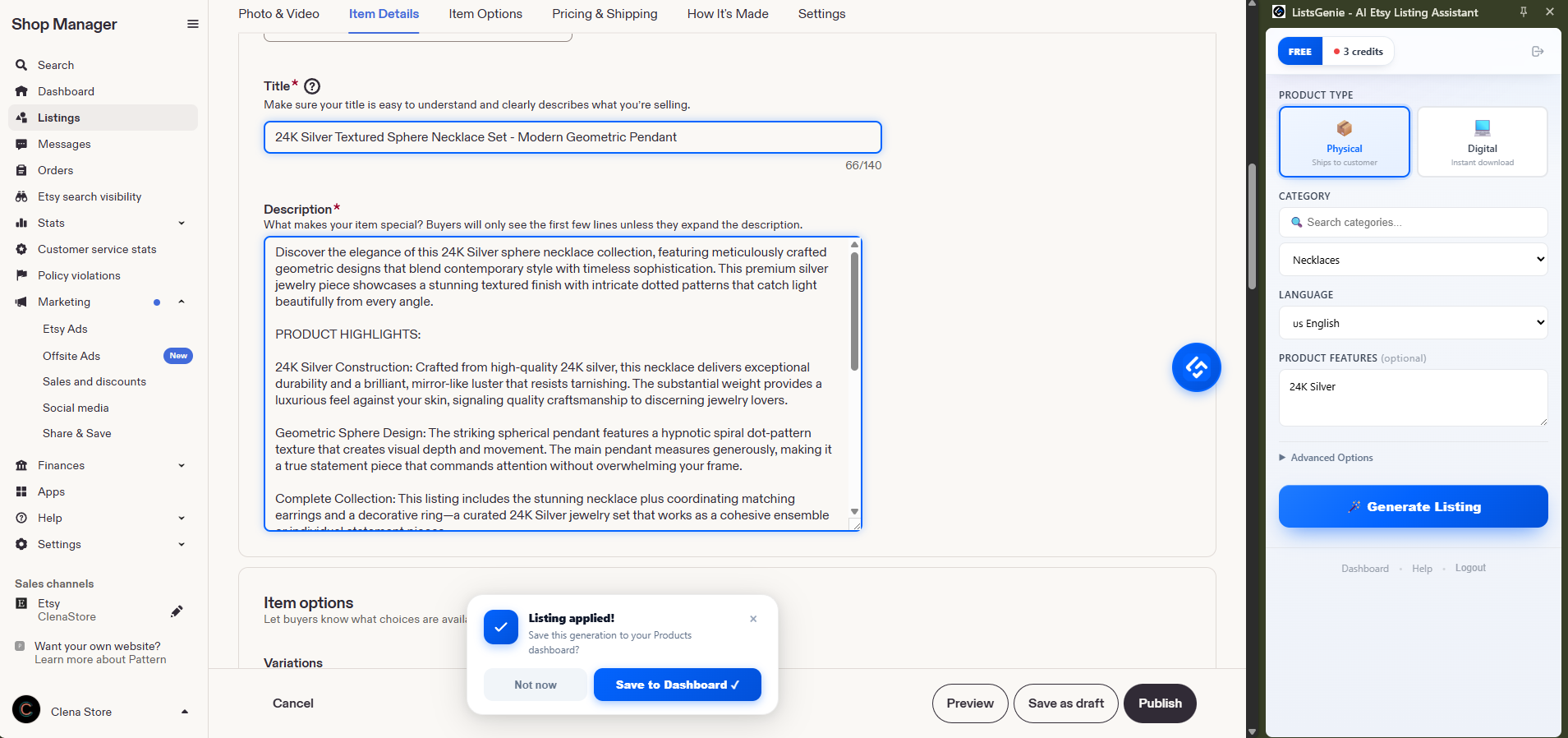
Copy each field, or use auto-fill to drop the title, tags and description straight into Etsy's editor. Everything stays editable — review it, add your photos and price, then publish. You're always in control before anything goes live.
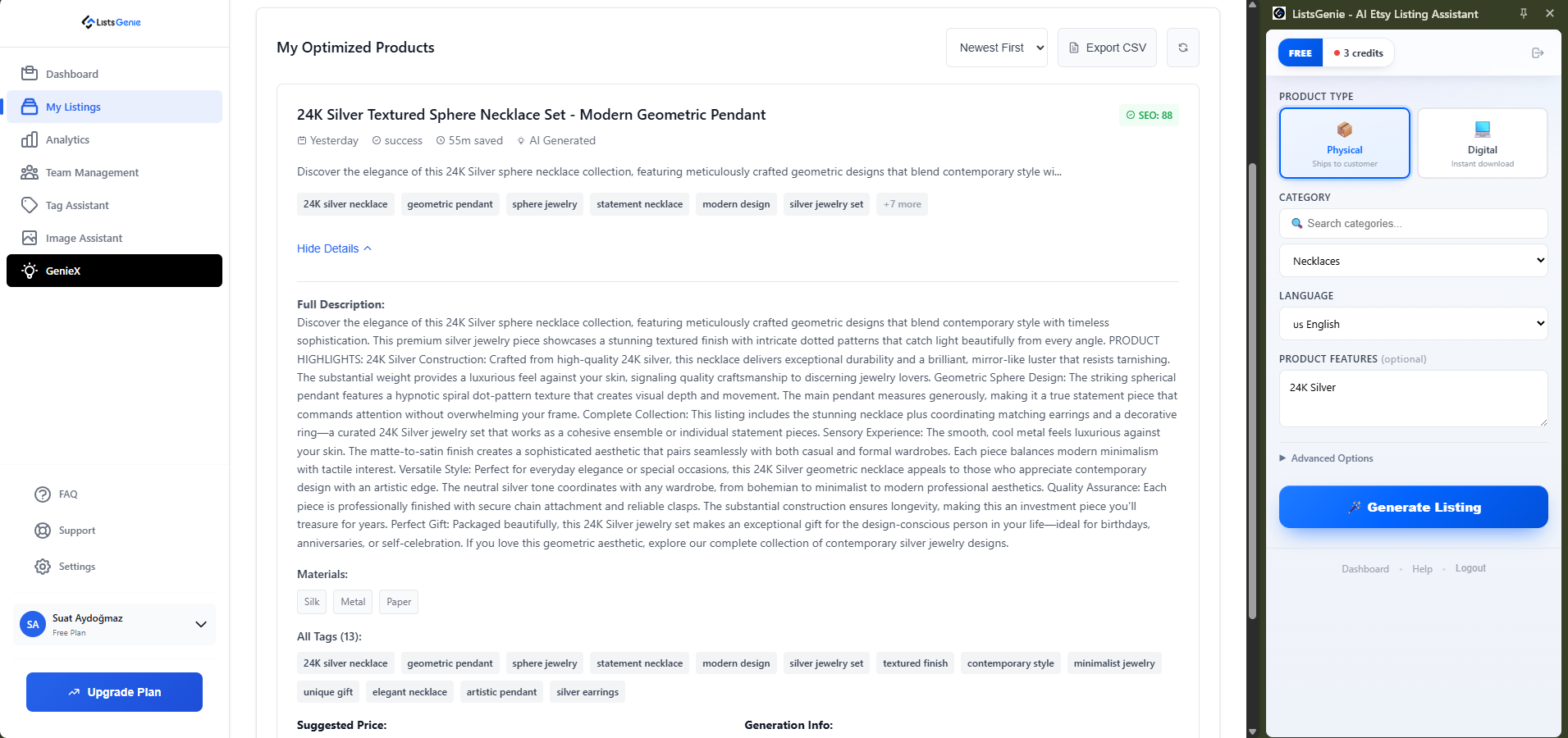
A keyword-rich title up to Etsy's 140-character limit, front-loaded with the terms buyers search for.
Every one of Etsy's 13 tag slots filled with high-volume, long-tail keywords — no guesswork.
A conversion-focused description that reads naturally and highlights your product's benefits.
Generate in English, French, Spanish, German, Italian, Polish, Turkish, Russian, Dutch or Portuguese.
| Credit cost | 2 credits / listing |
| Free preview | 1 free listing, no sign-up · 5 free credits with a free account |
| Plans | Included on Basic, Growth and Professional |
| Languages | English on Free/Basic · 5 languages on Growth · 10+ on Professional |
Add ListsGenie to your browser and turn your next product photo into a complete Etsy listing.
Try ListsGenie Free →